
Maintain your practice details & branding
Building a strong brand is essential for gaining a competitive advantage in the accounting industry. One of the most effective ways to establish your brand is to ensure that your clients encounter it as frequently as possible. Receipt Bot recognises this idea, allowing you to maintain your practice details and branding within its platform. This article outlines the steps to update your practice profile and add a practice logo, ensuring that your clients see your branding when using the Receipt Bot app.
Steps to update practice details in the Receipt Bot
Step 1 – Click the gear icon and select the “Practice Management” option.
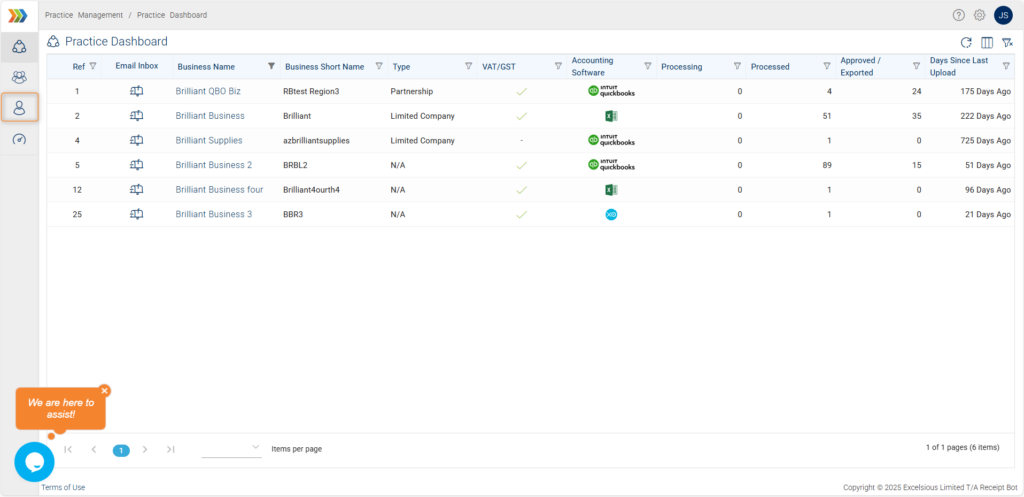
Step 2 – Navigate to the Practice Profile page.
(It is the third option in the side menu.)
Step 4 – Enter the details about your practice or organisation, such as your legal name, address, and contact email.
Step 5 – Click the pencil icon to upload your practice logo.
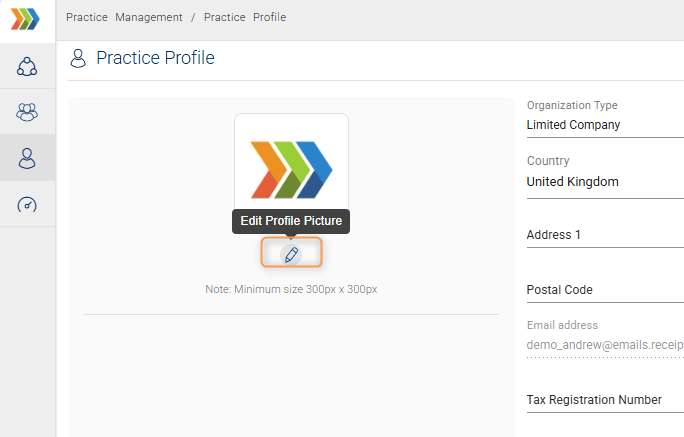
Pro-tip: Setting up a logo promotes your organisation’s digital presence to clients and should be applied before inviting them.
Step 7 – Click the “Save” button to confirm changes.
Your practice profile should have been updated in the Receipt Bot. With your practice branding now set up in Receipt Bot, you can confidently onboard your clients to the platform. They can easily recognise your practice name and logo throughout the app, further reinforcing your brand and enhancing your professional image.
Limitations in Receipt Bot mobile apps
Features related to setting up a practice profile are not available in the Receipt Bot mobile app.