
Change your Receipt Bot Password
You can change your Receipt Bot password by following these steps.
Step 1 – Click the gear icon at the top right and select the “User Profile” option.

Step 2 – Click the Change Password button at the top right.
Step 3 – Enter your current password and the new password you want to use.
The new password must be at least eight characters long, with a mix of uppercase and lowercase letters, numbers, and special characters.
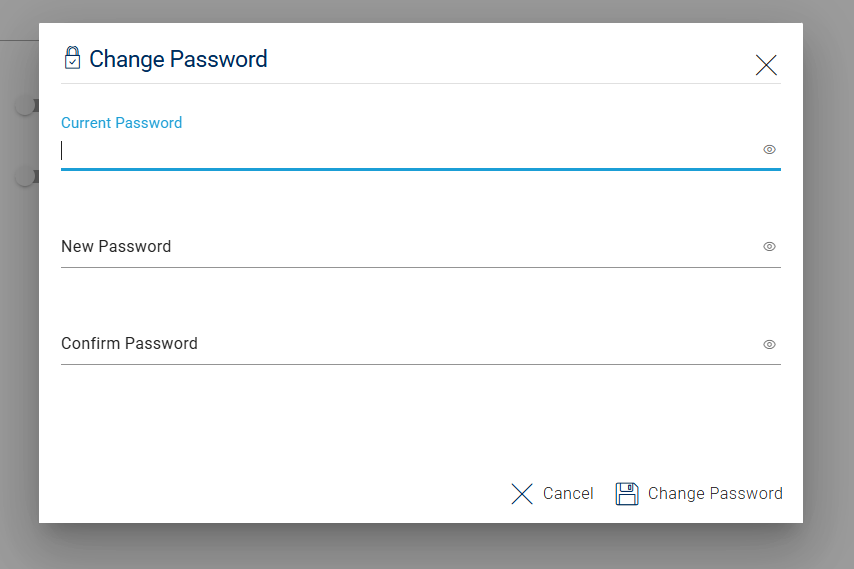
Step 4 – Click the Change Password button.
Your password for the Receipt Bot account will be updated. If you are logged in on other devices, you will be logged out upon the next activity.
Change Password Using the Receipt Bot Mobile Apps
Step 1 – Open the business menu by clicking the hamburger icon at the top right.
Step 2 – Tap your initials or email address to open the User Profile page.
Step 3 – Click the Change Password button.
Step 4 – Enter your current password and the new password you want to use.
Step 5 – Click the “Change Password” button.
Your password for the Receipt Bot account will be updated. If you are logged in on other devices, you will be logged out upon the next activity.